Pages

Free Amazing jQuery Plugins


jQuery is a lightweight JavaScript library that emphasizes interaction between JavaScript and HTML. It was released in January 2006 at BarCampJohn Resig. WIKI
jQuery is something really wonderful for designers which gives functionality to the web sites and i think it really attracts visitors of the sites.Yesterday i’ve collected 40 jQuery plugins which you will like probably.They are all free and you can learn how to integrate from the sources.
Here are the 40 Free jQuery plugins with tutorials and How Tos’
jqPuzzle lets you easily create sliding puzzles for your web page. Select an image, put it in your page, and add some magic.
When you click on a product, the product image will zoom out to see a featured close-up shot and a description. When you click on another product, the last opened product will zoom back and the new clicked product will zoom back and the new clicked product will zoom out.
43

41
A jQuery plugin that sets a division to rotate between images (or other things) as if they were on the faces of a cube.40
39
It will take selected elements and make them fly (not literally) off the page in a random or pre-defined direction.38
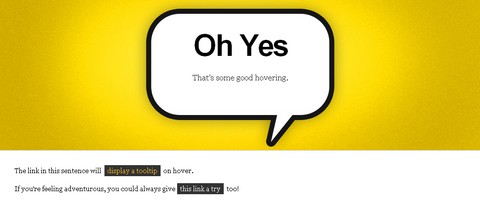
Learn how to add a cool popup bubble to RSS feed link using jQuery.37
35
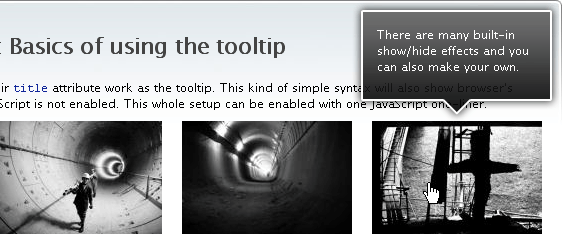
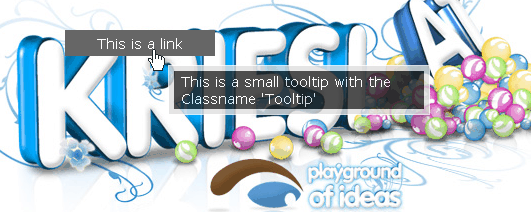
This tutorial will demonstrate how to build tooltips that are powered by jQuery, with information pulled from a JSON array. Here’s a look at the final result that we’ll be looking to me:34
11.Reel
Reel is a jQuery plugin which takes an image tag and makes it a live “projection” of pre-built animation frames sequence. Its aim is to provide a 360° view of something or someplace. Great alternative to widely used Flash techniques.33.233.1
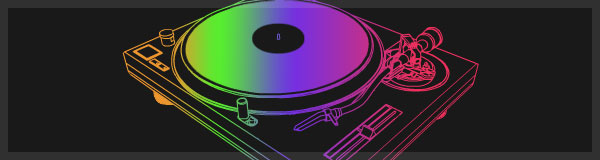
Here’s a quick and easy way to cycle between multiple colors smoothly.32
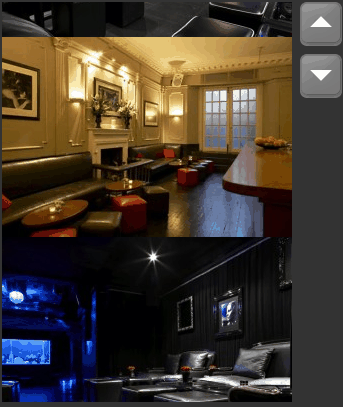
A jQuery plugin for scrolling a set of images.31
Sexy Alert Box is a “sexy” clon of classic javascript alert. With a taste to lightbox, it changes the ugly alerts of dows for more attractive alerts!.30
29
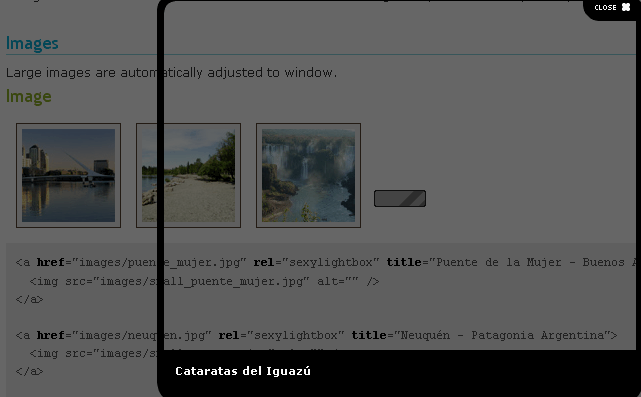
SexyLightBox is a clon, sexier and more lightweight than the classic LightBox.28
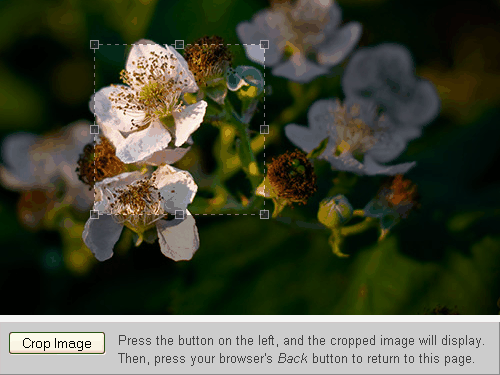
Jcrop is the quick and easy way to add image cropping functionality to your web application. It combines the ease-of-use of a typical jQuery plugin with a powerful cross-platform DHTML cropping engine that is faithful to familiar desktop graphictions.27
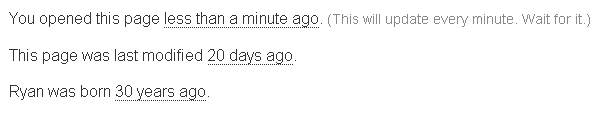
Timeago is a jQuery plugin that makes it easy to support automatically updating fuzzy timestamps (e.g. “4 minutes aor “about 1 day ago”).26
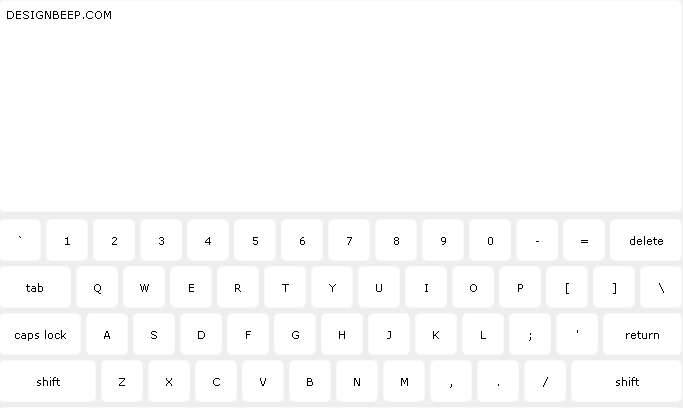
This tutorial will explain how we can implement a simple virtual keyboard with some (well, okay, lots of!) help from.25
24
The keyboard includes “action” keys (caps lock, shift, and delete) which dynamically changes the keyboard when clicked.23
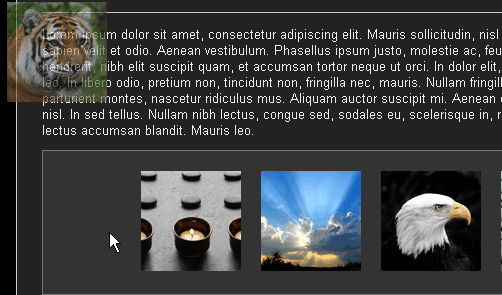
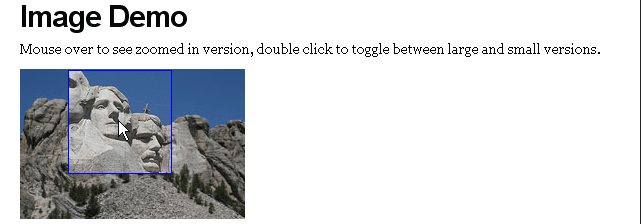
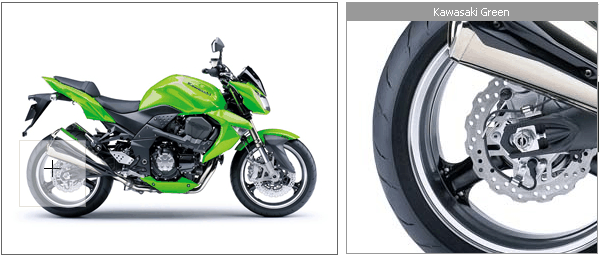
You have a small area. You mouse over it. An area pops up giving you a zoomed in closer look. This is a jQuplugin that does it.22
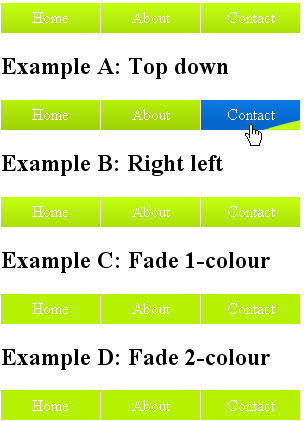
This jQuery plugin allows you to easily transform any unordered list into a horizontal menu.20
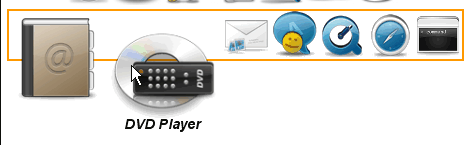
Transform a set of images into a Mac-like Dock menu,
horizontal or vertical, with icons thad on rollover!
18.218.1
A horizontal menu with tooltip that slides accross the menu panel. It’s a bit similar to lavmp, but in this script, it displays the caption of the icon menu.17
Images below the fold (the ones lower than window bottom) are not loaded. When scrolling down they are loaded needed.
16
A jQuery based animation/effects, progressive enhancement plugin for CSS backgrounds.14
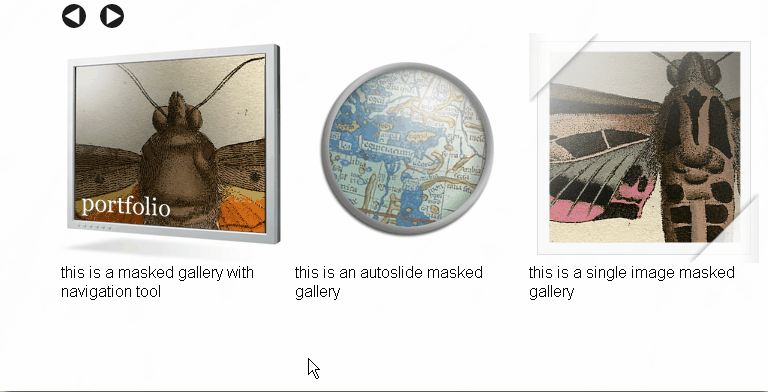
Build your own .png mask and cho your images to slide inside!10
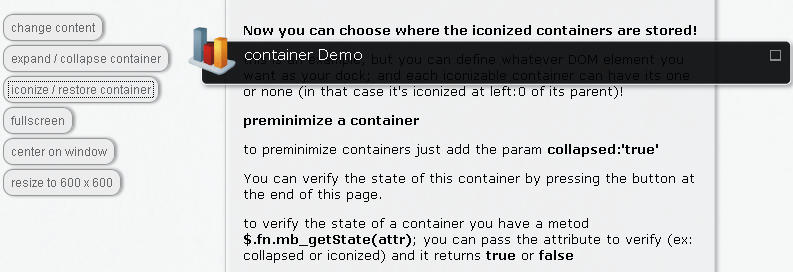
This is a useful plug in to build full featured and fully skinnable containers. The container can be set to draggable, resizable, collapsable and minimizable.9
Ajaxify is a jQuery plugin. it can convert all links in a web page into an ajax load and submit requests. with this ultra weight plugin, you can build a complex ajax website with one line.8
The “seekAttention” plugin gracefully get’s your users attention by fading out a definable area but leaving the target element (the element which is seeking attention) un-faded and thereocusing the users attention on it.7
6
5
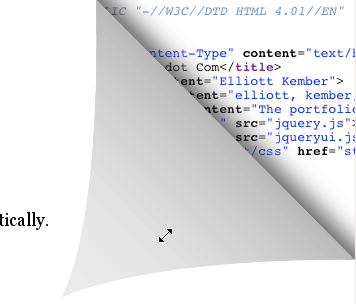
Sexy Curls jQuery Plugin is an open-source jQuery plugin by Elliott Kember
which lets you share in the be page fold.4
JQZoom is a javascript image magnifier built at the top of the popular jQuery javascript framework.3
jParallax turns a selected element into a ‘window’, or viewport, and all its children into absolutely positioned layers that can be seen through the viewport. These layers move in response to the mouse, and, depending on their dimensions (and options for layer initialisation), they move by different amounts, in a parallaxd of way.2
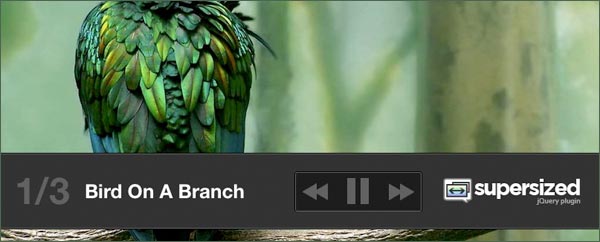
Designed to view full-size photos and images inline without requiring a separate web page load, FancyZoom is providing a smooth, clean, truly Mac-like effect, almost like it’s a function of Safari itself.
1

Celebrities on Twitter: 30 Famous First Tweets

When Twitter was born in 2006, it asked a simple question: “What are you doing?”

In November 2009, the prompt changed to “What’s happening?” The subtle difference paved the way for Twitter’s explosive growth and use as a real-time information network. The site has grown into a platform whereby people exchange links, share photos, break news and learn. No one cares if you’re eating a peanut butter and jelly sandwich; we do care what article you’re reading, what products you’re playing with, and what you think about President Obama’s latest speech.
Unlike Facebook, Twitter enables us to engage with public figures, from bubble-gum pop singers to heads of state — they’re all on there. We thought it’d be fun to take a look back and see what celebrities first tweeted when they joined the site. Some got the hang of it, others poked fun at it, some were witty, and one didn’t even know “wtf i’m doing” (thanks, Snooki!).
Read on for some of our favorites.

Neil Patrick Harris


The actor formerly known as "Doogie Howser" -- who's experienced a comeback of sorts on How I Met Your Mother -- joined Twitter with a comedic message that pokes fun at the 140-character limit.

Ashton Kutcher


Kutcher, who's acting career has taken a backseat to Nikon peddling and his interactive agency, Katalyst Media, is one of the early Twitter celebrities. Two years ago, Kutcher was in a race with CNN to be the first person to reach one million followers, which he did on April 16, 2009. This moment was an indication that Twitter had gone mainstream, and Kutcher went on Oprah that week to help Winfrey post her first tweet.But Kutcher had humble beginnings -- his first tweet merely expressed that he was sharing his first tweet.

Oprah Winfrey


Oprah came on board on April 17, 2009, with the help of Ashton Kutcher and Twitter co-founder Evan Williams. Days later, it was announced that Winfrey's segment generated a 43% spike in traffic on the microblogging site.

Tom Hanks


Veteran actor Tom Hanks made a charming entry with his first tweet on January 11, 2010 -- the classic mic joke.

Britney Spears


Like much of her career, Britney Spears' first tweet on October 10, 2008, seems to have been handled by her management team. It's a straightforward welcome to Britney's Twitter world.

Barack Obama


Obama joined Twitter two months after he announced his candidacy for the 2008 presidential election. Appropriately, his first tweet was optimistic and self-promotional, including a plug for his website.

Roger Ebert


Film critic Roger Ebert is one of the more insightful, poignant tweeters on the social platform, and he's been that way since he joined the network. His first tweet on October 4, 2009, was a touching comment on aging.

Conan O'Brien


Funnyman Conan O'Brien first tweeted on February 24, 2010. It was in the aftermath of the NBC shakeup that booted the redhead from The Tonight Show and launched his fan-powered social media presence.

Charlie Sheen


Sheen launched a #winning social media campaign by joining Twitter on March 1, 2010. He went on to garner a Guinness World Record for "Fastest Time to Reach One Million Followers" in just over 25 hours.

Queen Rania


The beauty of Twitter is that it enables us to communicate with celebrities, politicians and even royalty. Queen Rania joined Twitter on May 7, 2009. Since then, she has explored Twitter as a diplomatic tool, even posting a Twitvid to promote tourism in Jordan.

NASA


NASA launched a Twitter account to share news of space exploration, historical tidbits and shuttle updates. Its first tweet, on December 20, 2007, reminisced about the launch of Apollo 17.

Clarence House


Clarence House's first tweet came on November 15, 2010 -- just one day before the announcement that Prince William and Kate Middleton were engaged. It's almost like they knew word of the Royal Wedding would spread quickly on Twitter...

Lady Gaga


Lady Gaga loves her "little monsters," but her first tweet came before she knew of "The Fame" that would come her way. Gaga tweeted about rehearsing for a music video and performing at a party -- appropriate for the "What's happening?" prompt.

Hugo Chavez


Twitter, of course, isn't just a tool for English speakers. Last year, a study found that just 50% of tweets are in English. Thus, it's no surprise that just as President Obama tweets, so too does Venezuelan President Hugo Chavez. His first tweet, on April 28, 2010, reads: "Hey how's it going? I appeared like I said I would: at midnight. I'm off to Brazil. And very happy to work for Venezuela. We will be victorious!!"

Snooki


The Jersey Shore's most famous guidette made a splash with her honest and oh-so-typical first tweet on April 3, 2009.

Zappos


Zappos' CEO Tony Hsieh has himself become a brand, and though he peddles shoes, Zappos has become synonymous with impeccable customer service and "delivering happiness." Zappos first tweeted on March 8, 2008, during SXSW, although Hsieh's first tweet indicates confusion about how to follow.

David Pogue


New York Times tech reporter David Pogue first tweeted on October 19, 2007, dropping a line about heading to a tech expo in the morning.

Steve Martin


Steve Martin's first tweet on September 11, 2010 proves that Twitter is a great platform for pithy punchlines.

Kesha


Kesha of "Tik Tok" fame took her 'tude to Twitter on March 23, where her handle is @keshasuxx. Keeping her habits of odd characters and intentional misspellings of words, her first tweet makes little sense.

Bill Gates


Tech honcho Bill Gates jumped on the bandwagon relatively early. On February 9, 2007, he suggested that Microsoft get in on the Twitter game, perhaps foreseeing the platform's rise to prominence.

Jack Dorsey


Twitter co-founder Jack Dorsey sent the very first tweet on March 21, 2006 - the first of many billions to come.

Dalai Lama


Though the Dalai Lama is known for peace, serenity and holiness, that didn't stop him from joining Twitter. His first tweet, on February 22, 2010, served as a modern day press release -- he announced an appearance and provided a link.

Martha Stewart


The domestic goddess Martha Stewart could barely contain her excitement about "using Twitter for the first time!" on February 20, 2009. It's reminiscent of the tone she used in Twitter's fifth birthday video.

Bill Cosby


Jello-peddling, sweater-sporting Bill Cosby changed "sweet" to "tweet" in his first 140-character update on July 7, 2009.

Richard Branson


Billionaire entrepreneur Richard Branson is known for being an outdoorsy thrillseeker, but his first tweet shows a softer side. On October 22, 2008, Branson tweeted about his children, Holly and Sam, and how they're "coping" as they sought to break the trans-Atlantic sailing record.

White House


President Obama has his own Twitter account, and so too does his home. On May 1, 2009, the White House established that @whitehouse is the official feed of the presidential residence.

Twitter


It seems pretty meta, but Twitter tweets, too. On July 11, 2007 -- more than a year into Twitter's existence -- the company tweeted about working on mobile apps Hahlo and Pocket Tweets.

Mark Zuckerberg


Zuckerberg joined the Twitterverse on February 12, 2009, but it seems like he's chosen his own social network over Twitter -- he hasn't tweeted since March 13, 2009.

Justin Bieber


Before Bieber Fever infected the Twitterverse, the teen idol used Twitter to direct fans to his MySpace page. His first tweet, on May 12, 2009, was a promotion for his then-new single, "One Time."

Sarah Silverman


Facebook Send Button

The Send Button allows your users to easily send your content to their friends. People will have the option to send your URL in an inbox message to their Facebook friends, to the group wall of any Facebook group they are a member of, and as an email to any email address. While the Like Button allows users to share your content with all of their friends, the Send Button allows them to send a private message to just a few friends.
The message will include a link to the URL specified in the send button, along with a title, image, and short description of the link. You can specify what is shown for the title, image, and description by using Open Graph meta tags.

Get a combined Like and Send button

You can implement the send button on its own, but if you also want a Like button on your site, you can simply addsend=true as an attribute to the Like button. This will render the Like button and Send button next to each other. Find the documentation on the Like button page.

Get a standalone Send button


Attributes

  • href - the URL to send.
  • font - the font to display in the button. Options: 'arial', 'lucida grande', 'segoe ui', 'tahoma', 'trebuchet ms', 'verdana'
  • colorscheme - the color scheme for the like button. Options: 'light', 'dark'
  • ref - a label for tracking referrals; must be less than 50 characters and can contain alphanumeric characters and some punctuation (currently +/=-.:_). Specifying the ref attribute will add the 'fb_ref' parameter to the referrer URL when a user clicks a link from the plugin.

FAQ

How do I know when someone sends a message from the plugin?

You can subscribe to the 'message.send' event through FB.Event.subscribe.

How do I display the Send button in different languages?

If you are using the XFBML version include the language code when you instantiate the library. Replace ‘en_US’ in this line with the correct locale code:
'//connect.facebook.net/en_US/all.js';
If you are using the Iframe version include a locale parameter with the proper country code in the src URL. Example:
src="http://www.facebook.com/plugins/send.php?locale=fr_FR&..."
You may need to adjust the width of the Like button to accommodate different languages.

What is the best way to know which plugin on my site generated the traffic?

We report referral clicks on the Insights dashboard. In the coming weeks we will add the 'ref' parameter to the plugin (see "Attributes" above).
Examples:
<fb:send ref="homepage"></fb:send>
When a user clicks a link on the plugin, we will pass back the ref value as a fb_ref parameter in the referrer URL. Example:
http://www.facebook.com/l.php?fb_ref=homepage 
This is coming soon.

Optimizes Google Earth for Android tablets

Google has updated its version of Google Earth for Android to take advantage of the large screen and processing power of the tablets. 

In a blog post yesterday, product manager Peter Birch said the update adds support for texture and 3D buildings and a new action bar so it is easier to search and browse the images layers. Google Earth started life as the company's virtual world, but now incorporates street-level images and even extends into space.
"Going from a mobile phone to one tablet was like going from a regular movie theater, IMAX," wrote Birch, noting its particular affection for exploring Rome's Colosseum to the tool. "We take the larger screen size, including features like the content of the popup windows that appear in view of the Earth, so you can see more information without having to switch back and forth between the pages."
The new version of Google Earth for Android will run on all devices that use version 2. 1 or more mobile operating system. The tablet features are available for devices that use the "honeycomb" Android OS 3.0, which is the first optimized version of Google for tablets.

Facebook allows friends @ Mention tags to shorten


Once Facebook users have marked a friend in a post or comment, type the @ symbol or part of its name and selecting the name of a menu, which now can shorten the label by removing parts of the name of friend. Previously, users had to leave the full name or label does not appear as an active link and trigger a notification of that friend. Facebook has also launched an enhanced version of suggestions from friends labels automatically when users type the name of a friend with a capital letter, but did not use the @ symbol. 
 

shortening tag allows users to keep the labels short positions, increasing the likelihood that they will be read instead of skim milk by. It also keeps tabs too formal for the interruption of the otherwise informal messages or comments. 

Facebook extends its photo tagging feature, which has proved very viral, to allow the labeling of friends, Pages, Events, Groups and more status updates in September 2009. In March, Facebook allowed markup in the comments. The Facebook app for Android allows users to tag friends in the seats, but the option is not available in the Facebook for iPhone, other mobile applications native or m.facebook.com. 

Facebook automatically verifies that shows the marked fall down when people capitalize the first letter of a word in August, but users have often not bothered about labels to a friend. Facebook software engineer Tom Occhino now tells us that this feature has been fully deployed, but we have found is set to show only the suggested tags when users enter five or more characters of the name of a friend, or type a name complete is less than 5 characters. This should help expose the role of brands mentioned the names of friends in the seats, but do not really labeled. 

When users tag a friend in a message is highlighted. Now users can delete the end or beginning of the label as the name or surname, but the remaining parts of the name still highlighted, and displayed as links once the message is published. 

If a friend has more than two names, a label may be reduced to adjacent names, ie, users could leave the first and middle name or the name, but can not eliminate the middle name. Note that labels only friends can be shortened, the tabs of pages - the page labels, Events, Groups, Facebook and other properties become inactive if a user attempts to shorten. 

Users sometimes text messages such heavy reading their news service, so the ability to clip the labels should increase commitment to tagged items. 

 
Facebook often strives to imitate the physical world communication in the design of their products. When speaking of a friend in a conversation with friends in common that they often use only part of his name, but use the full name when talking about those not familiar with that person. Now, the same option to choose which part of a name is mentioned in the context function is available on the mailing label.